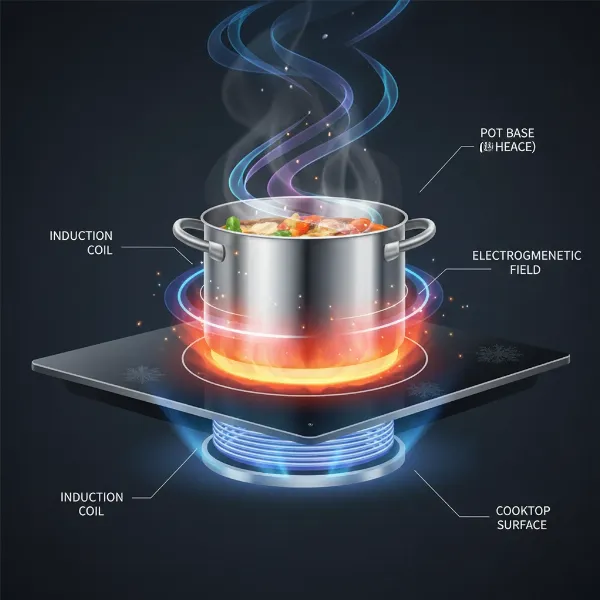
Modern induction cooktops bring efficiency and precision to your kitchen, but even the most advanced appliances can occasionally encounter electronic glitches. An unresponsive control panel, persistent error codes, or an inability to power on can quickly turn meal prep into a frustrating ordeal. Before you panic or call for costly professional help, understanding how to effectively reset your induction cooktop’s electronics can often resolve these common issues, getting you back to cooking with ease.
Understanding Your Induction Cooktop’s Electronics
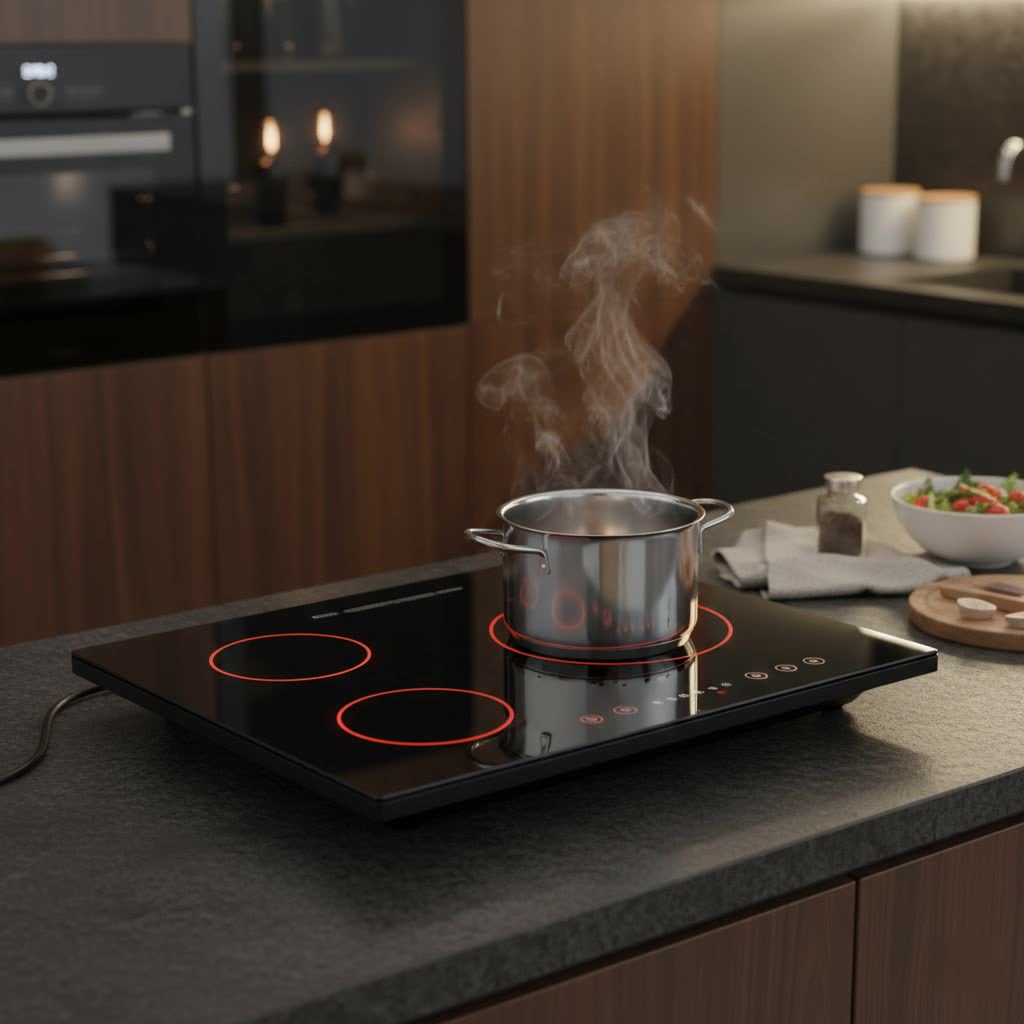
At the heart of every induction cooktop lies a sophisticated electronic system. This network of circuits, sensors, and microprocessors orchestrates everything from heat generation and power management to safety features and touch controls. When this system encounters a minor disruption, it can lead to frustrating operational hiccups.
The Brains Behind the Burners
Table is empty.Your cooktop’s control panel, typically a sleek touch-sensitive surface, acts as the primary interface to its electronic “brain.” Beneath this surface, electromagnetic coils generate heat, while numerous sensors monitor temperature, cookware presence, and power levels. The main circuit board processes all these inputs and outputs, ensuring smooth and safe operation. Any temporary software bug or power fluctuation can confuse this intricate system.
Common Electronic Glitches
Users often face issues like unresponsive touch controls, the cooktop failing to turn on, a continuous beeping sound, or the display showing cryptic error codes. Sometimes, the cooktop might power cycle unexpectedly or seem to be stuck in a specific mode, such as a child lock that won’t deactivate. These problems are typically electronic in nature, signaling that the internal system might benefit from a simple restart.
Why Resetting Your Induction Cooktop Matters
Think of resetting your induction cooktop as similar to restarting your computer or smartphone when it acts up. It’s a fundamental troubleshooting step that can clear minor issues without the need for complex repairs. A reset allows the electronics to reboot, reload their operating parameters, and often resolve temporary conflicts.
Clearing Minor Software Bugs
Just like any digital device, an induction cooktop’s software can sometimes get stuck or encounter a temporary bug. A power cycle effectively clears the short-term memory (RAM) of the electronic control unit, allowing the system to start fresh, often resolving minor software-related issues that cause unresponsiveness or erratic behavior.
Resolving Error Codes
Many error codes on an induction cooktop are triggered by temporary conditions—like an incompatible pan, overheating, or a momentary power fluctuation. A reset can often clear these transient error codes, especially those that aren’t indicative of a serious underlying hardware failure. This gives the cooktop a chance to re-evaluate its status and resume normal operation if the original triggering condition has been resolved.
Restoring Responsiveness
If your cooktop’s touch controls are lagging or completely unresponsive, a reset can be a quick fix. It can refresh the connection between the physical touch sensors and the main control board, bringing back the immediate and accurate response you expect from your appliance. This is particularly useful if the controls seem to freeze without any apparent reason.
 A close-up of an induction cooktop control panel with a finger pressing a power button, indicating a reset action.
Step-by-Step Guide to Resetting Your Induction Cooktop
Most electronic glitches can be resolved with a simple power cycle, often referred to as a “soft reset” or “hard reset” depending on how thoroughly the power is cut. A more comprehensive “factory reset” is typically brand-specific and less commonly needed for everyday issues.
The Soft Reset (Power Cycle)
This is the most common and effective method for resolving many electronic issues. It involves temporarily cutting the power to the cooktop, allowing its internal systems to fully discharge and reset.
- Turn Off the Cooktop: Begin by ensuring your induction cooktop is switched off via its main power button on the control panel.
- Disconnect from Power Source: For built-in induction cooktops, the safest and most common way to do this is by switching off the dedicated circuit breaker in your home’s electrical panel. If your cooktop is a portable model, simply unplug it from the wall socket.
- Wait for a Few Minutes: It’s crucial to wait for a minimum of 30 seconds to allow any residual electrical charge within the cooktop’s capacitors to dissipate. For more stubborn issues or complex electronics, some manufacturers recommend waiting anywhere from 5 to 10 minutes. This extended waiting period ensures a complete system discharge.
- Restore Power: Once the waiting period is over, switch the circuit breaker back on or plug the portable cooktop back into the outlet.
- Test for Operation: Turn your induction cooktop back on and check if the issue is resolved. Try using the burners and various functions to ensure everything is working correctly.
When a Factory Reset is Needed
A factory reset is a more drastic measure that reverts the cooktop’s settings to its original, out-of-the-box configuration. This can be useful for persistent, complex electronic problems or if you’re selling the appliance. However, factory reset procedures are highly brand and model-specific. For instance, some Bosch models might involve a sequence of holding specific buttons (like the clock or combi button) and navigating a service menu (e.g., to “C 0” then confirming with “1”). Always consult your specific cooktop’s user manual for the exact steps, as an incorrect procedure could potentially worsen the issue.
Troubleshooting Common Issues Before and After a Reset
Sometimes, the “electronic” issue might stem from external factors. Before or after performing a reset, it’s wise to check these common culprits to ensure a smooth operation.
Power Supply Check
The most fundamental issue is often the power supply. Confirm that the cooktop is securely plugged in, the wall switch (if any) is on, and the circuit breaker hasn’t tripped. Also, check your home’s fuse box for any blown fuses. An unstable or insufficient power supply can mimic electronic malfunctions.
Child Lock Deactivation
Many induction cooktops feature a child lock to prevent accidental operation. If your control panel is unresponsive, check for a “lock” or “key” symbol. You typically deactivate it by pressing and holding the lock button for 3-5 seconds. Consult your manual if you’re unsure of the specific method for your model.
Cookware Compatibility and Placement
Induction cooktops require magnetic cookware. If your pan isn’t induction-compatible (test with a magnet), or if it’s not centered properly on the cooking zone, the cooktop might not register it, leading to a perceived “no heat” or “error” message. Ensure the cookware base matches the burner size for optimal performance.
Ventilation and Overheating
Induction cooktops have cooling fans and vents to prevent overheating. If these vents are blocked by food debris, dust, or nearby objects, the cooktop might automatically shut down or display an error code to protect its internal components. Ensure adequate clearance and clean the vents regularly. Allow the cooktop to cool down completely before attempting to restart it.
Cleanliness of Control Panel
Moisture, food spills, or even a cloth draped over the touch control panel can interfere with its sensitivity, causing it to become unresponsive or trigger false inputs. Gently clean and dry the control surface with a soft cloth, ensuring no residue remains that could affect sensor function.
Decoding Induction Cooktop Error Codes
Error codes are your cooktop’s way of communicating a specific problem. While a general power reset often clears transient codes, understanding common messages can help you diagnose more persistent issues.
Common Error Codes and Their Meanings
Many induction cooktops share similar error code categories:
- E1/E2: Often indicate an internal circuit board issue or overheating of the IGBT (Insulated Gate Bipolar Transistor) within the main board [cite: 2 (from second search)].
- E3/E4: May point to voltage issues, either too high or too low, suggesting a problem with your home’s electrical supply rather than the cooktop itself [cite: 3 (from second search)].
- F series (e.g., F1, F2): Can indicate issues with cookware detection, internal temperature sensors, or fan malfunctions.
- Overheating Errors: Often signify that the cooktop has exceeded its safe operating temperature and needs to cool down.
Specific Manufacturer Codes
It’s vital to remember that error codes can vary significantly by brand (e.g., Bosch, Whirlpool, Electrolux). Always refer to your induction cooktop’s user manual or the manufacturer’s website for a comprehensive list of error codes specific to your model and their recommended troubleshooting steps. This ensures you’re addressing the problem accurately.
When to Call a Professional for Your Induction Cooktop
While many issues can be resolved with a simple reset or basic troubleshooting, there are instances when professional intervention is necessary. Knowing when to call an expert can save you time and prevent further damage.
Persistent Issues After Reset
If you’ve performed a power cycle multiple times and checked all common external factors, yet the problem persists or recurs, it likely indicates a deeper internal hardware or electrical fault. This is a clear sign that it’s time to seek professional help.
Visible Damage or Malfunctions
Any visible damage, such as a cracked glass surface, burnt smells, sparks, or unusual noises that continue after a reset, warrants immediate professional attention. Do not attempt to use the cooktop if you suspect physical damage or an electrical short.
Complex Electrical Problems
Issues like recurring tripped circuit breakers, consistent voltage error codes (e.g., E3/E4), or if only one side of a multi-zone cooktop is working (which could indicate a circuit board or coil failure) are beyond the scope of DIY fixes. These require a qualified appliance technician or electrician to diagnose and repair safely.
“A simple power reset can miraculously solve many induction cooktop headaches, but don’t ignore persistent warnings. Sometimes, the problem is deeper than a software glitch, and that’s when a certified technician becomes your best friend.” – Luke, Certified Engineer
Conclusion
Resetting your induction cooktop electronics is a powerful first step in troubleshooting many common operational issues. By performing a simple power cycle or, if necessary, a brand-specific factory reset, you can often resolve unresponsive controls, clear error codes, and restore your appliance to full functionality. Remember to systematically check common external factors like power supply, child locks, cookware, and ventilation. While DIY solutions can address many problems, don’t hesitate to consult your user manual for specific error codes or call a qualified professional for persistent or complex issues. Taking these proactive steps ensures your induction cooktop remains a reliable and efficient tool in your kitchen.
What electronic issues have you encountered with your induction cooktop, and how did you resolve them?
Frequently Asked Questions
How long should I leave my induction cooktop unplugged to reset it?
For most induction cooktops, leaving it unplugged or with the circuit breaker off for at least 30 seconds to 1 minute is sufficient to perform a soft reset. For more stubborn issues, some experts recommend waiting up to 5 to 10 minutes to ensure a complete discharge of all internal electronics.
Can a reset fix all induction cooktop error codes?
A reset can clear many temporary error codes caused by minor glitches or transient conditions like overheating. However, it won’t fix error codes that indicate a persistent hardware failure, such as a blown fuse on the main board (like some E1/E2 codes) or a faulty sensor. Always consult your manual for specific code meanings.
What if my induction cooktop won’t turn on after a power outage?
First, check your home’s circuit breaker to ensure it hasn’t tripped. If the breaker is fine, try performing a soft reset by turning the cooktop’s dedicated breaker off for a few minutes and then back on. If it still doesn’t power on, there might be an internal component failure or a wiring issue requiring professional assessment.
Is there a master reset button on induction cooktops?
Most Induction Cooktops do not have a single “master reset” button. The primary method for a general electronic reset is typically a power cycle via the circuit breaker or unplugging the unit. A “factory reset” may exist for some models, but it’s usually a specific sequence of button presses on the control panel, detailed in the user manual.
Can old or dirty cookware cause my induction cooktop to malfunction?
While old or dirty cookware itself won’t cause the cooktop electronics to malfunction, incompatible or poorly placed cookware can trigger error codes or prevent the cooktop from heating. Ensure your cookware is magnetic, has a flat base, and is appropriately sized and centered on the cooking zone to avoid these issues.